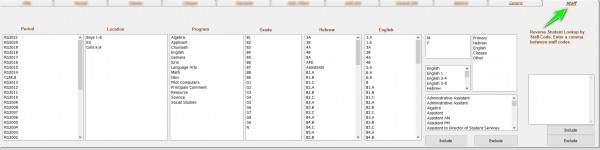
Dedicated Staff Query Tab

0 votes
648 views

1 Answer

answered Jun 3, 2020 by YakovKantor
edited Jun 3, 2020 by YakovKantor
 
Best answer

Added (06/03/20)

The tab was updated to have a full set of query options, by program, teacher type etc.


The left side works just like the Period/Classes tab make you selections and press include/exclude.

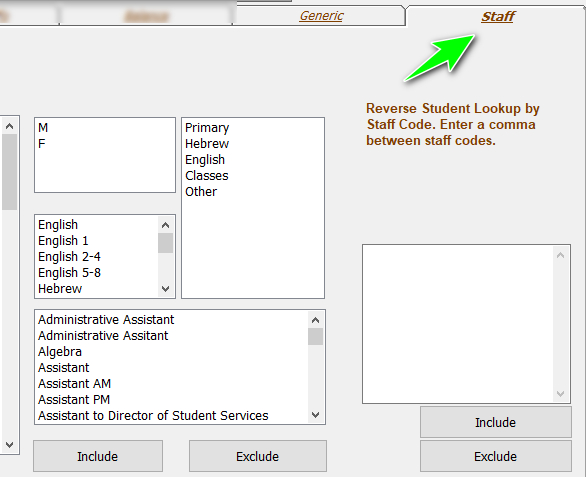
The right side (Reverse Student Lookup by Staff Code) can be used to look up all students a teacher had.

For example: If a Rebbi is making a chasuna and would like to invite all of his former talmidim. You would put in the account number and load by mail merge all the students or by the voice/sms tab to send out a blast.


commented Jun 17, 2020 by ygoldblatt
For some reason, this is now the default tab when I open the query tab. Any way to change it back to period?

Let's Welcome our New Members

  • Wck of Willowbrook Community Kollel - Feb 17, 2026

  • Mr Y greenwald of Tov vchesed Rachmistrivka - Feb 10, 2026

  • Kritzler YS of pupa - Feb 09, 2026

  • Shimon of Vehareinu Skver - Feb 09, 2026

  • Gutwein of Lakefront - Feb 08, 2026

  • dgross of yeshiva orchos chaim - Feb 03, 2026

  • SrulyF of JLS - Feb 02, 2026

  • Flor of Little Munchkins Playgroup 56 Inc - Jan 29, 2026

...