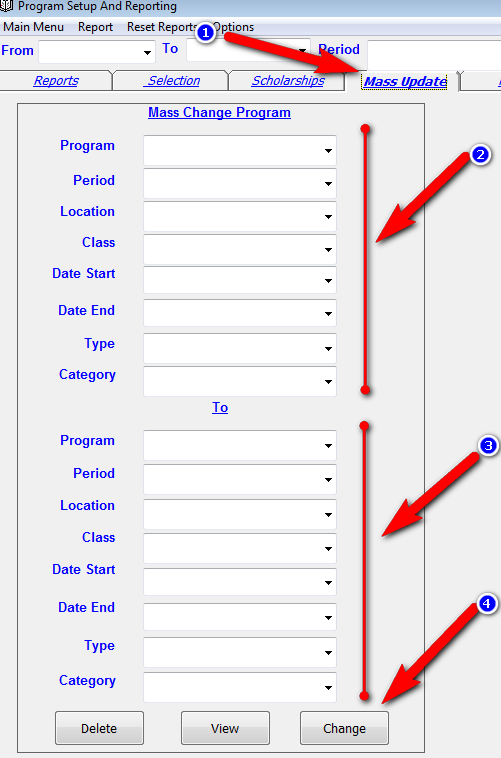
1. Go to the program screen. Click on the Mass Update tab (1).
2. Enter as much info as you can on the top half (2) to narrow the scope of the records being changed. So lets say you want to change a class name from aleph to 02 you need to select the program name, period, location and enter class as aleph.
3. Enter what you want to change to on the bottom half (3). Enter only the things that need to be changed. So in the above example just type in by class 02. Leave period and program empty.
4. Click on Change (4) and it will give you a message how many students are being changed. Click yes to allow the change. If you would like to view the records before changing them click on the view button.
Please Note: This only changes existing records. It does not add new records.