Sorting of Displayed Address, Phone, Addl Info, Flags

+2 votes
523 views
asked May 30, 2017 in Tuition and Fundraising by Admin

1 Answer

answered May 30, 2017 by Admin
 
Best answer

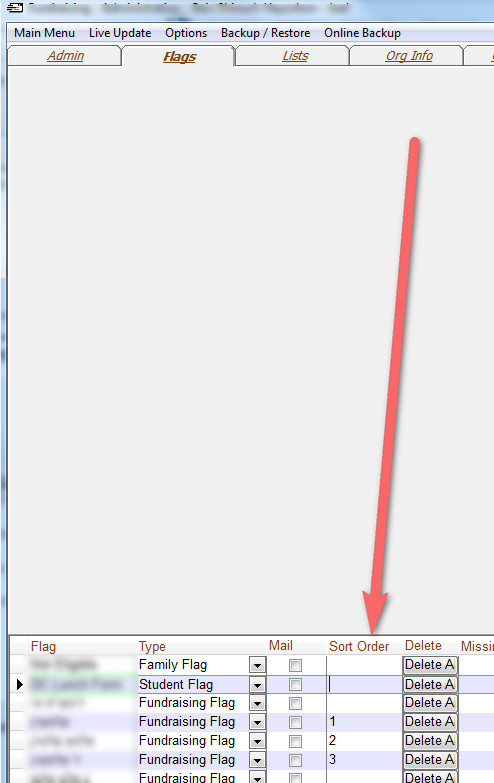
You can now control the sort order of the Addresses, Phone Numbers, Addl Info and Flags displayed in the account screen.

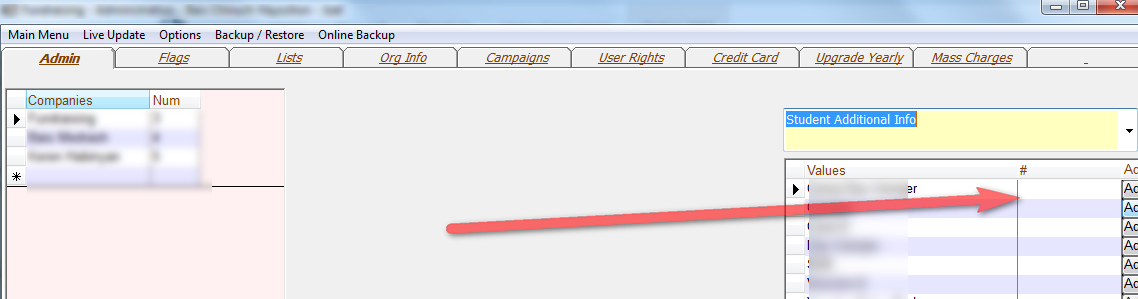
For Address, Phone and Addl Info you just enter a number in the # column in administration next to the type (Address Type, Phone Type, Members Additional Info, Family Additional Info, Student Additional Info).

For Flags you enter the Sort Order in the Sort Order Column.


Let's Welcome our New Members

  • Wck of Willowbrook Community Kollel - Feb 17, 2026

  • Mr Y greenwald of Tov vchesed Rachmistrivka - Feb 10, 2026

  • Kritzler YS of pupa - Feb 09, 2026

  • Shimon of Vehareinu Skver - Feb 09, 2026

  • Gutwein of Lakefront - Feb 08, 2026

  • dgross of yeshiva orchos chaim - Feb 03, 2026

  • SrulyF of JLS - Feb 02, 2026

  • Flor of Little Munchkins Playgroup 56 Inc - Jan 29, 2026

...