GPS Website Updates

0 votes
722 views

1 Answer

answered Apr 7, 2019 by Admin
edited Apr 8, 2019 by Admin
 
Best answer

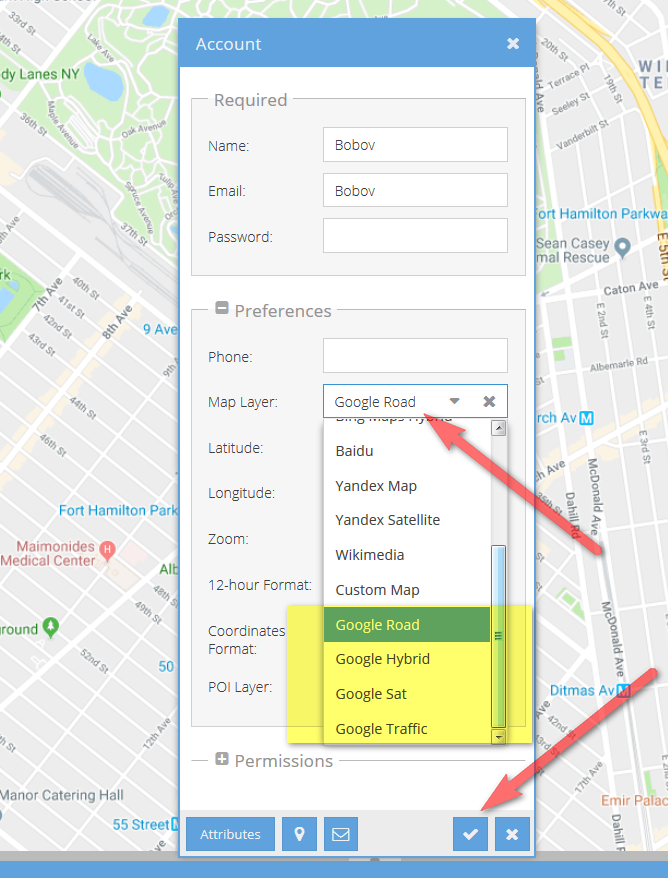
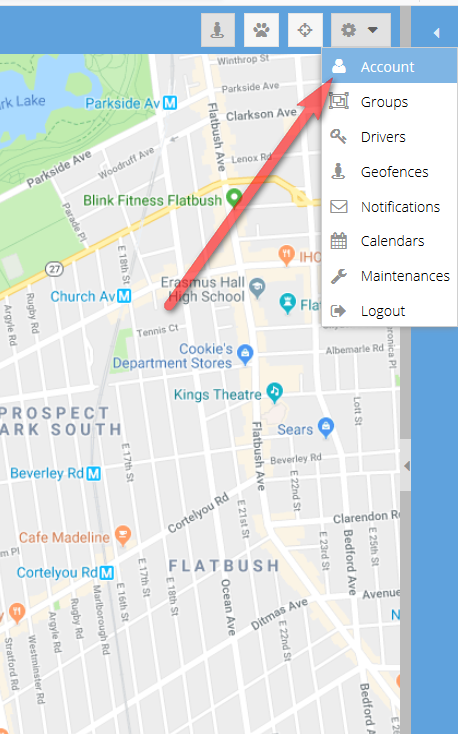
You can now have the option of using Google Maps on the GPS website. To change the map click on Account in the right top corner. Click on prefrences and choose one of the google map layers. When done clcik on the check box to save. Now reload the page and the new map will load.

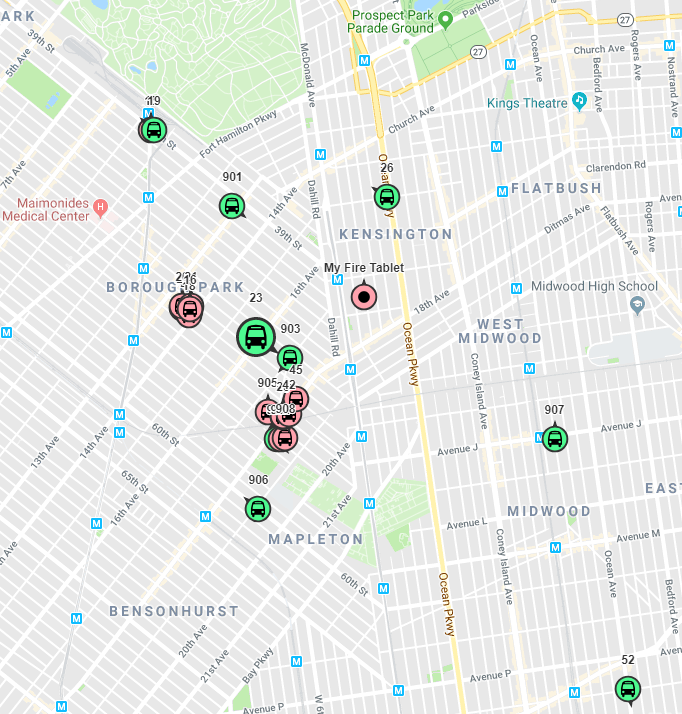
The Icon and Row will only be green when the ignition is on.


We will have the following updates soon.

When the ignition is off, it will not update the GPS location which will remove the issue of the Bus moving when Ignition Off.



Let's Welcome our New Members

  • Wck of Willowbrook Community Kollel - Feb 17, 2026

  • Mr Y greenwald of Tov vchesed Rachmistrivka - Feb 10, 2026

  • Kritzler YS of pupa - Feb 09, 2026

  • Shimon of Vehareinu Skver - Feb 09, 2026

  • Gutwein of Lakefront - Feb 08, 2026

  • dgross of yeshiva orchos chaim - Feb 03, 2026

  • SrulyF of JLS - Feb 02, 2026

  • Flor of Little Munchkins Playgroup 56 Inc - Jan 29, 2026

...